I started out with a 300 X 300 16.7 Million color image with a white background.
Then chose "Letters" as my paper texture and used the Air Brush tool
to apply color and pattern to my image. Next I added text and then used the
Lasso tool to select the area for my cutout.
|

No Antialias
Text was applied without the antialias option checked.
|

Antialias
Text was applied with the antialias option checked.
|
There is a difference between antialias and alias. Alias appears jagged.
Antialias give you a smoother look because it partially fills in the edges of
the text or image making them seem smoother.
|
|

|
|
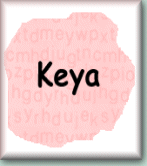
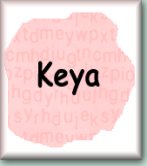
The next effect I applied to my cutout was the Buttonize effect with the entire
image selected. I used 20 for the height and width and 62 for the opacity with
a transparent edge. Then saved it in GIF format then as JPG.
|
|
Example of Buttonize in GIF format
|
|
|
Example of Buttonize in JPG format
|
| |
Different image formats make for different file sizes. As seen above, the GIF
is 8KB and the JPG is 6KB. As the size of your image gets larger so does the
file size and the difference between the formats. So when size plays a roll in
your graphic needs you might want to see which format suits your needs the best.
|
|
|
|
|
|
Example of Hotwax with white as the foreground color
|

|

|
Using the Noise effect set at 24% and with Random checked this one almost looks like a
frosted sugar cookie!
|
The next image is my concept of a line drawing. I used the shape tool set to
rectangle with Style set at Fill. Then applied the Buttonize effect.
Saved as a GIF (height="147" width="166") with a
transparent background, file size of 4KB.

|
| |

|
| |
I used the shape tool set at "Elipse" with Anti-alias checked to
create the email button.
I then saved the image as a JPG (HEIGHT="150" Width="300")
with a file size of 8KB
Click on the very tasteful E-Mail Button if you wish to email me ;o}

|
Thanx for the Green Chrome Preset
SOE
|